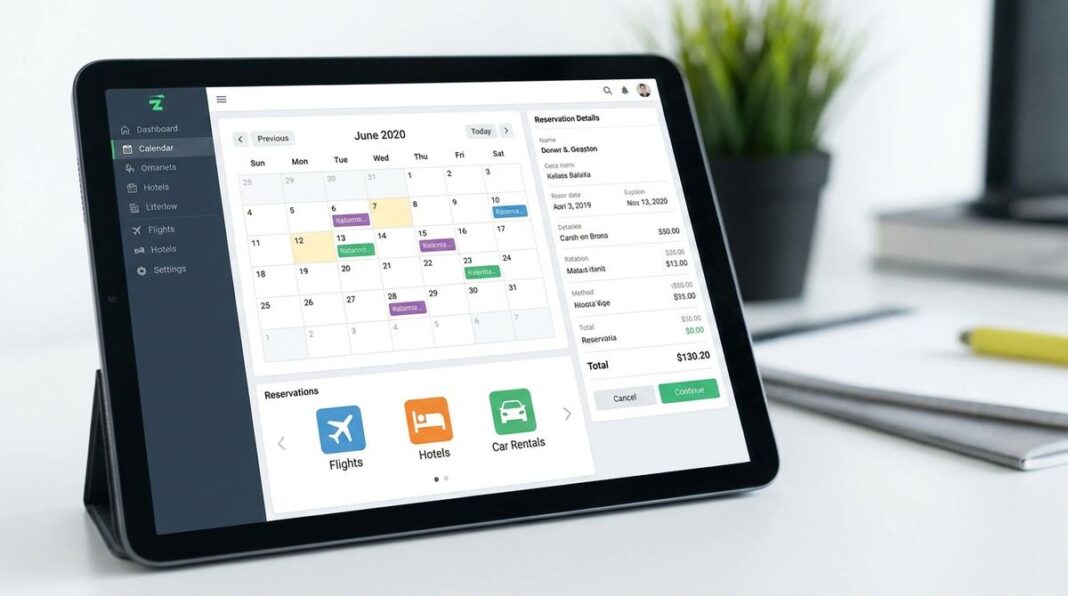
Service businesses often see demand rise and fall with the weather. Heating repairs surge in cold snaps, while cooling calls and outdoor maintenance tend to peak in hot weeks. Software that handles bookings, dispatch and invoices can be configured to match these waves, which helps owners avoid overbooking the quiet stretches and understaffing the busy ones.
This article offers general ideas for small service firms and does not recommend any product or vendor. Settings, features and terms vary across tools, so use the principles below as a checklist when you review your own system. The goal is a calendar and a set of rules that reflect the work as it really happens, not as it looked during the first week of setup.
Booking Rules for Peak Demand
Booking rules control how jobs enter the calendar. Set maximum visits per crew for each day, and adjust those limits during the periods when demand climbs. Allow longer windows for jobs that depend on weather, such as outdoor repairs. A clear rule keeps the schedule realistic and gives customers a fair idea of when someone will arrive at the door.
Owners can also add buffer time between appointments to absorb delays. Readers may also want to visit millionblogsonline.com. Review the rules once a month to see whether they still match actual demand, because a rule that worked in a slow period can quickly become a bottleneck when the calendar fills.
Pricing and Availability Settings
Pricing settings can reflect seasonal costs without confusing customers. Some owners apply a fixed surcharge during emergency weeks, while others offer discounts for planned work in quiet months. Whichever approach you choose, display the terms clearly at the booking step and keep the language honest. Hidden fees damage trust far more quickly than a modest, openly stated price.
Availability settings deserve equal care. Close unnecessary time slots during holidays or planned shutdowns, and communicate those closures early. For a related read on this site, see Sandbox, Beta and Patch Notes: A Garden Shop.
Reminders and Customer Messages
Reminders reduce missed visits in any season. Send a message before each appointment with the time window and a simple way to reschedule. In cold months, a note about access and parking can help technicians arrive on time and in a safe condition. Owners can review templates on this practical website to craft messages that stay polite and clear. Test each message on a colleague before it goes out to make sure the wording is clear.
Tone matters as much as timing. Keep messages short, avoid jargon and thank customers for their patience during busy periods. A reliable message schedule builds trust even when the calendar is crowded, and it reduces the number of frantic calls that office staff must answer during peak weeks.
Customer portals can also share upcoming visit details in one place. Clients who check the portal are less likely to call for basic information. A tidy, up-to-date page is a quiet way to deliver good service.
Reviewing Settings Twice a Year
Settings should not stay frozen. Review booking limits, prices and reminders at the start of each half of the year, and note any patterns that surprised you. Ask staff which parts of the system caused friction, since they see the daily reality of the calendar more clearly than anyone reading a report from the office.
Schedule a brief review meeting after each reset so that feedback is recorded while it is fresh. Note who raised each concern and what change followed. That history helps the team judge whether a setting truly improved the workday.
Keep a written record of each change, including the date and the reason behind it. That log helps new team members understand past decisions and makes future adjustments easier to justify to the owner, the crew and the customers alike.
Review the list of changes during the next planning meeting so the whole team shares the same picture. A brief summary in writing keeps everyone aligned when new staff join the business. Clarity of this kind makes the software serve the people who use it every day.
Service demand will always move with the weather, the calendar and local events. Software settings that match each half of the year help owners keep crews busy without burning them out, and they keep customers informed. Regular reviews turn a fixed system into a responsive tool that grows with the business. Thoughtful settings are a quiet form of respect for the people who keep the business running. Schedule settings reviews into the calendar, so they never slip while everyone is busy. A short note of thanks to the team after each review also helps build shared ownership. Owners who treat the system as a living tool tend to see fewer surprises and smoother weeks. Small, regular improvements add up to a business that feels calmer over time. Good software should make the work easier, and that is the standard worth keeping.